Introduction to VoicePilot
VoicePilot allows you to turn your voice into clean, ready-to-send text anywhere you type, including Slack messages, Outlook emails, and Word documents.
Hold a shortcut, speak, and let go. VoicePilot transcribes what you said, cleans it up with AI cleanup, and pastes it straight into whatever app you're working in, so you never have to copy anything by hand.
Let's go through what VoicePilot actually does for you, one piece at a time.
🎙️ Dictating Anywhere
Dictation is the core of VoicePilot: hold your Hold to Talk shortcut, talk, and release it to get formatted text pasted right where your cursor is.
You don't need to switch apps or open a special window first. The shortcut works system-wide, so you can dictate into a browser, a chat window, or a document without ever touching the mouse. If you'd rather not hold a key, the Tap to Toggle shortcut starts and stops recording with a tap.
For example, if you're replying to a customer email in Outlook, you can just hold the shortcut, explain what you want to say out loud, and VoicePilot turns it into a properly punctuated paragraph the moment you let go.
Overall, dictation is built to disappear into whatever you're already doing rather than becoming its own app you have to think about.
🎓 Learn more about installing and setting up VoicePilot here
📖 Learning Your Vocabulary
The Dictionary allows you to teach VoicePilot the words that are specific to you: product names, colleagues' names, or industry jargon that a generic transcription would otherwise get wrong.
You add terms yourself from the Dictionary section. Administrators can share entries with the whole Team, so everyone benefits from the same corrections rather than each person fixing the same word.
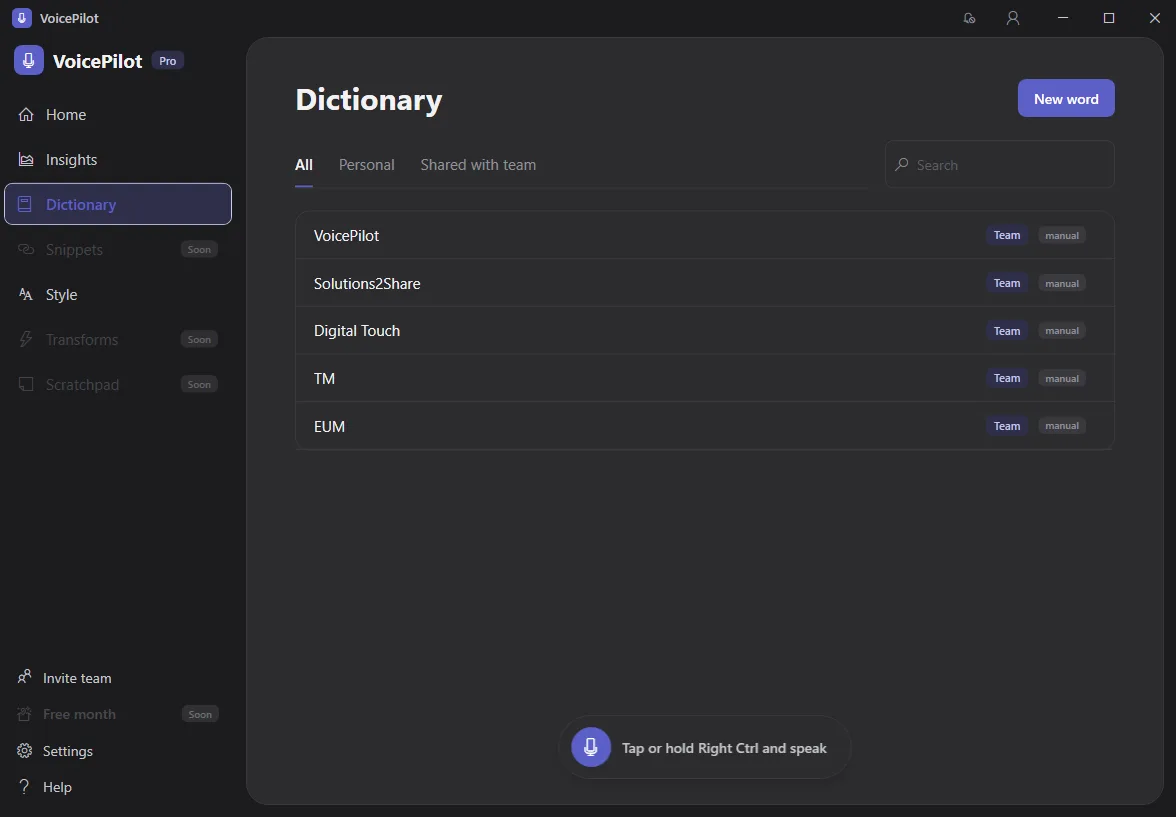
For example, if your company name keeps coming out wrong, adding it once to your Dictionary means VoicePilot gets it right every time afterwards.
Overall, the Dictionary is what makes dictation feel personal instead of generic the longer you use it.
🎓 Learn more about building your custom Dictionary here
🎨 Writing In Your Style
Style Presets allow you to tell VoicePilot how to rewrite your dictation differently depending on the app you're speaking into.
You might want a formal tone in Outlook and a casual, shorthand tone in Slack; Style Presets let you set that up once and have it apply automatically. You can also trigger one by saying a trigger word at the start of a dictation.
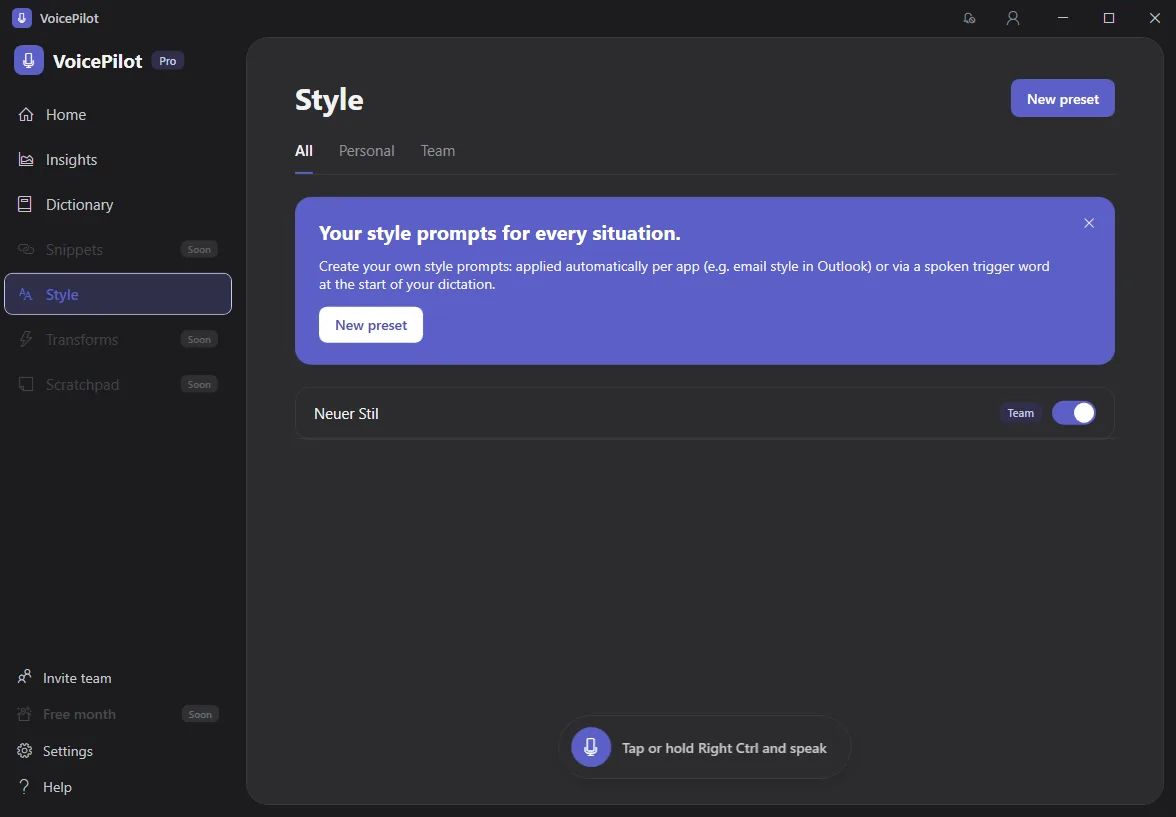
Once you've linked a preset to an app, every dictation into that app gets rewritten in that style without you having to say anything differently.
Overall, Style Presets save you from manually editing tone every time you switch between a client email and a quick team message.
🎓 Learn more about using Style Presets here
📊 Tracking Your Progress
Insights allow you to see how much time VoicePilot is actually saving you. Your Words dictated, Words per minute, and dictation streaks are all tracked as you go.
Your History keeps every past dictation on the Home screen. You can copy something you said earlier straight back to your clipboard, or delete anything you'd rather not keep.
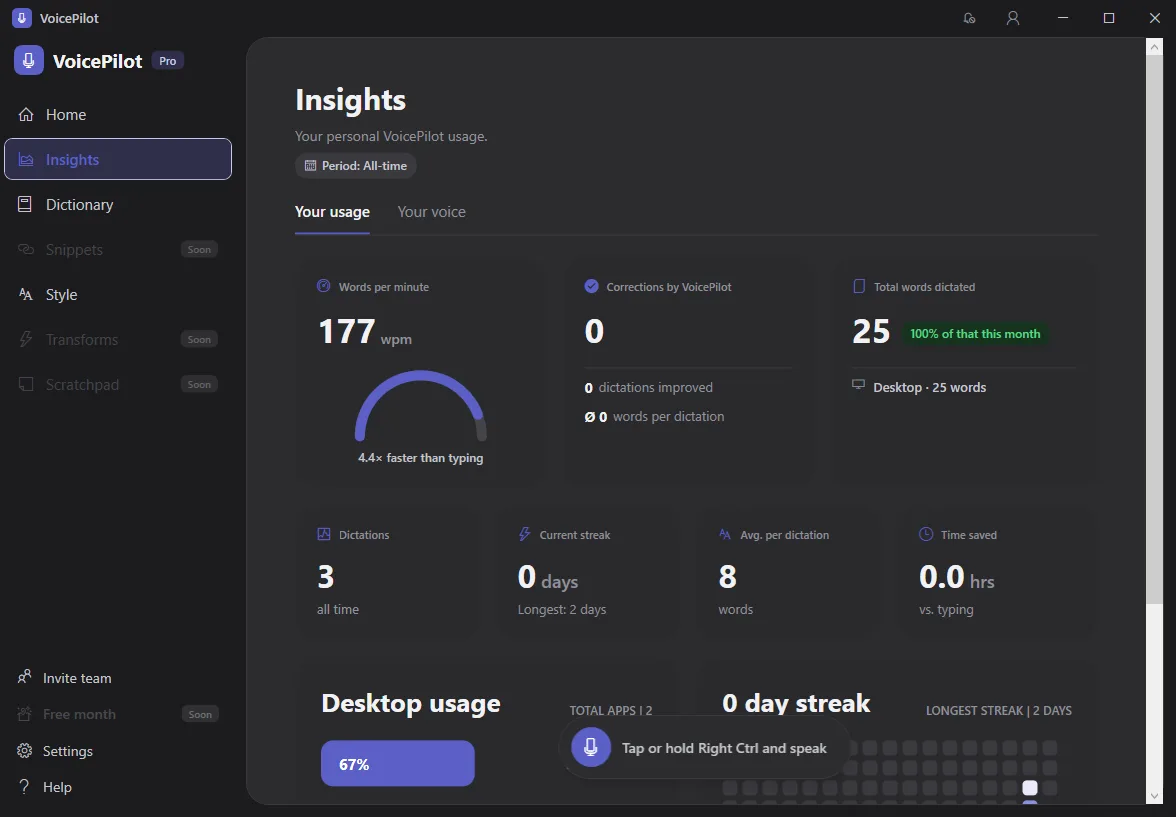
Keep in mind that both come from this device's own dictation history, so a second computer keeps its own separate numbers.
Overall, Insights and History turn dictation from a one-off convenience into something you can see adding up.
🎓 Learn more about your dictation Insights here
🛡️ Managing Your Organization
The Admin Center allows administrators to manage VoicePilot for the whole organization: licenses, shared Dictionary entries, company-wide Styles, and usage Reports. It's all in one place, self-hosted in your own tenant.
If you're not an administrator, you won't need the Admin Center at all. Dictation always happens in the desktop app, with your organizational account.
Overall, the Admin Center keeps VoicePilot governable at scale without changing anything about how dictation feels for the people actually using it.
🎓 Learn more about the Admin Center here
⛑️ Need more help?
Get further assistance with VoicePilot through our support chat widget within the app, or reach out to us at support@solutions2share.com